loading
>member workspace
Enter Command Center.
Run any Boostor tool, then keep what's worth keeping. Command Center is one working board for prompts, notes, saved results, tools, tasks, and ship-safety checks.
Boostor Hub live
Use Boostor Hub now in this browser. Sign in when you want saved results mirrored to your account; board layout and panel content stay in this browser for now.
how the board works
Plan, build, and ship from one project spine.
Use the board now, then sign in when you want the workspace tied to your Boostor account. Keep the project brief, prompts, notes, saved outputs, tasks, and launch checks close enough that the next step is always obvious.
Pair-programmer
Ask a senior builder anything — plan a feature, debug, or unblock a stuck step.
Project context
Project brief, prompts, notes, saved results, watchlist, and tasks stay together.
Ship safety
Run the hard checks — secrets, auth, rate limits — before a user or buyer sees it.
>what it is
The workspace where saved results become one working board.
Run any Boostor tool on its own. When the output is worth keeping, save it here as a note, prompt, task, watchlist, or decision. Then build the board to fit how you work: create projects, save reusable views, choose from sixteen panel kinds, drag and resize them, and switch the whole layout in one click. Signed-in boards mirror to your Boostor account.
- Run multiple projectsKeep separate project boards with their own brief, lane, stage, risk, panels, and saved snapshots.
- Save useful viewsCapture a board setup with its layout and theme, then reload it when you need launch mode, ship-safety, or deep work.
- Account-backed when signed inThe browser cache keeps the board instant. Signed-in accounts mirror the workspace so it survives device changes.
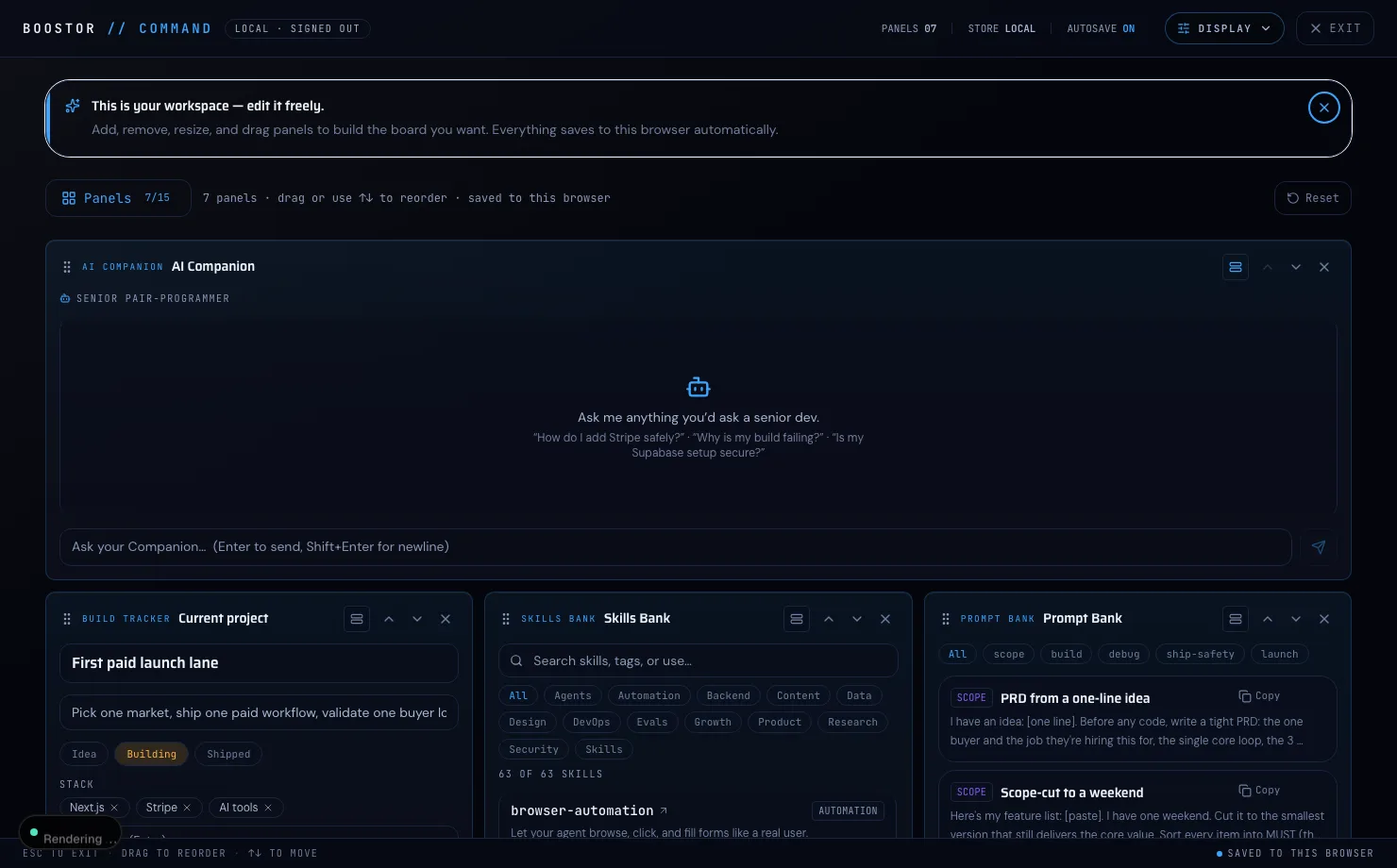
>the four layouts
Same board. Four ways to see it.
A layout changes real structure, column count, density, rhythm, and type scale, not just color. Preview each one below.


Plus a panel manager and themes.
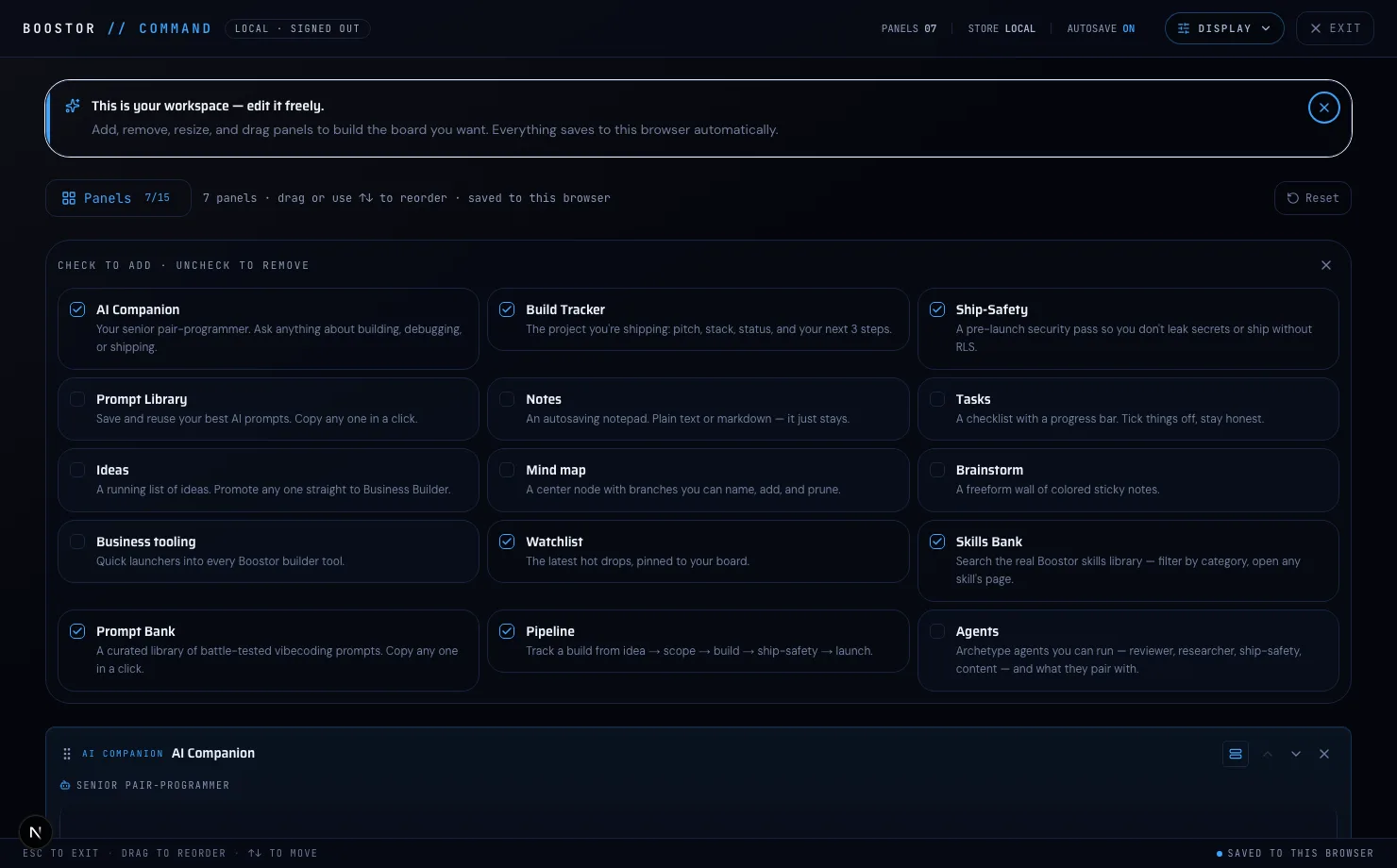
Panel manager
Check to add, uncheck to remove. All sixteen panel kinds, on or off in a click.
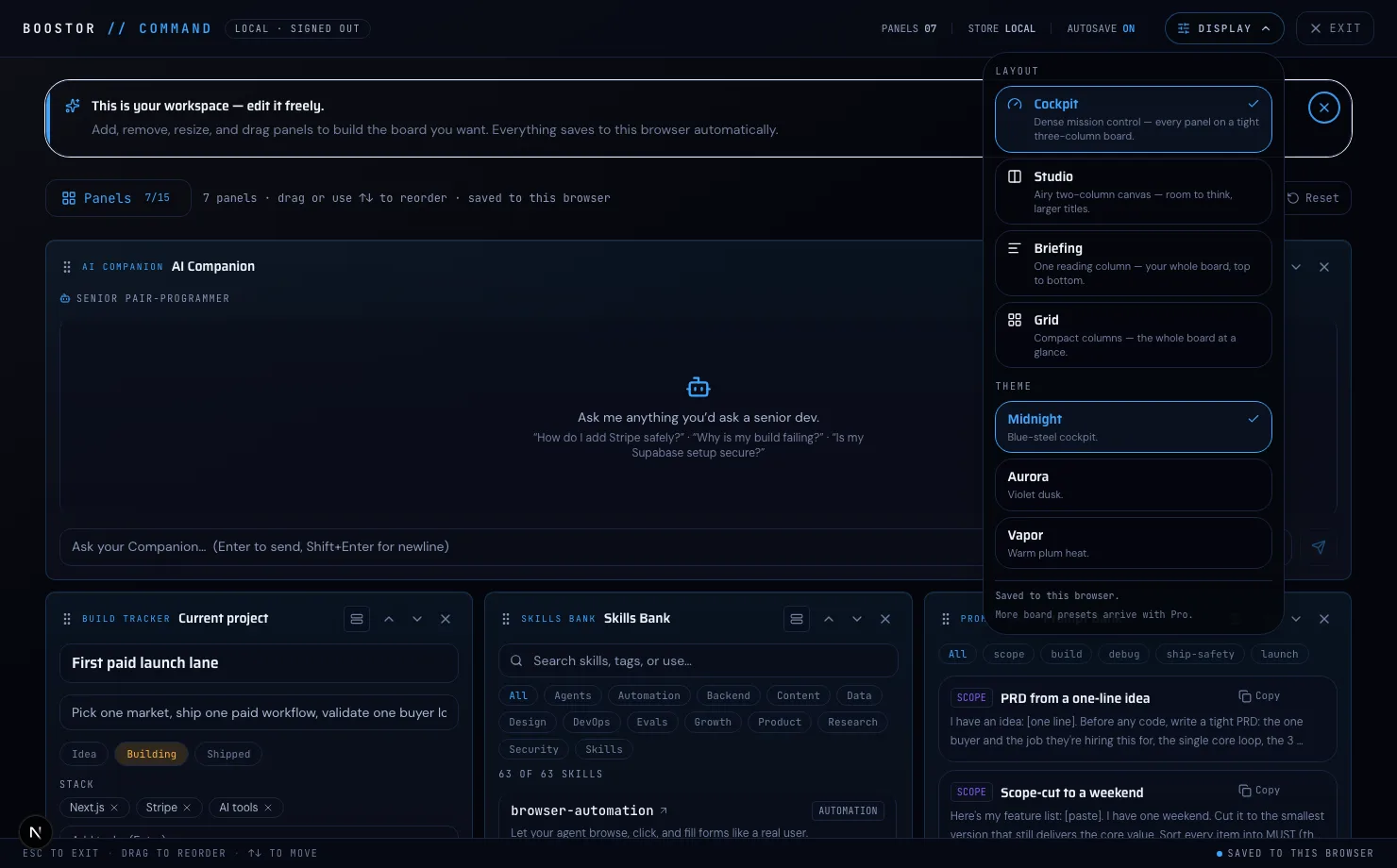
Display settings
Switch layout and theme from one menu, Midnight, Aurora, or Vapor.
>sixteen panels
Pick the panels that fit your build.
Mix and match. Start with the companion and the pipeline, add notes and a watchlist, and drop in the banks when you need them.
- AI CompanionYour senior pair-programmer for planning, debugging, and launch checks.
- Project RadarLocal-only project state, repo risk, running ports, disk warnings, and redacted proof receipts.
- Saved resultsEverything your tools produced — stack picks, skills, plans, scripts — as actionable items you can copy, export, send onward, or turn into tasks.
- Build TrackerThe project you are organizing: pitch, stack, status, and your next 3 steps.
- Ship-SafetyGuided checks that help catch common launch issues: secrets, auth, RLS, rate limits, and checkout proof.
- PipelineTrack the work from idea → scope → build → ship-safety → launch.
- NotesAn autosaving notepad. Plain text or markdown — it just stays.
- TasksA checklist with a progress bar. Tick things off, stay honest.
- IdeasA running list of ideas. Promote any one straight to Business Builder.
- Mind mapA center node with branches you can name, add, and prune.
- BrainstormA freeform wall of colored sticky notes.
- Prompt LibrarySave and reuse your best AI prompts. Copy any one in a click.
- Prompt BankA curated library of battle-tested vibecoding prompts. Copy any one in a click.
- Skills BankSearch the real Boostor skills library — filter by category, open any skill's page.
- AgentsArchetype agents to study and route toward — reviewer, researcher, ship-safety, content — and what they pair with.
- Business toolingQuick launchers into every Boostor builder tool.
- WatchlistThe latest hot drops, pinned to your board.
Opens the full-screen instrument: project context, prompts, notes, tasks, saved results, and ship-safety checks. Board layout saves in this browser; saved results mirror when signed in.